

This update focuses on giving users more freedom to define how their content works and how it is visually organized on the Board. Several long-standing limitations around Node Types and grouping have been removed, which opens the way for more user-defined structure in future releases.
Major New Features:
Flexible Node Types
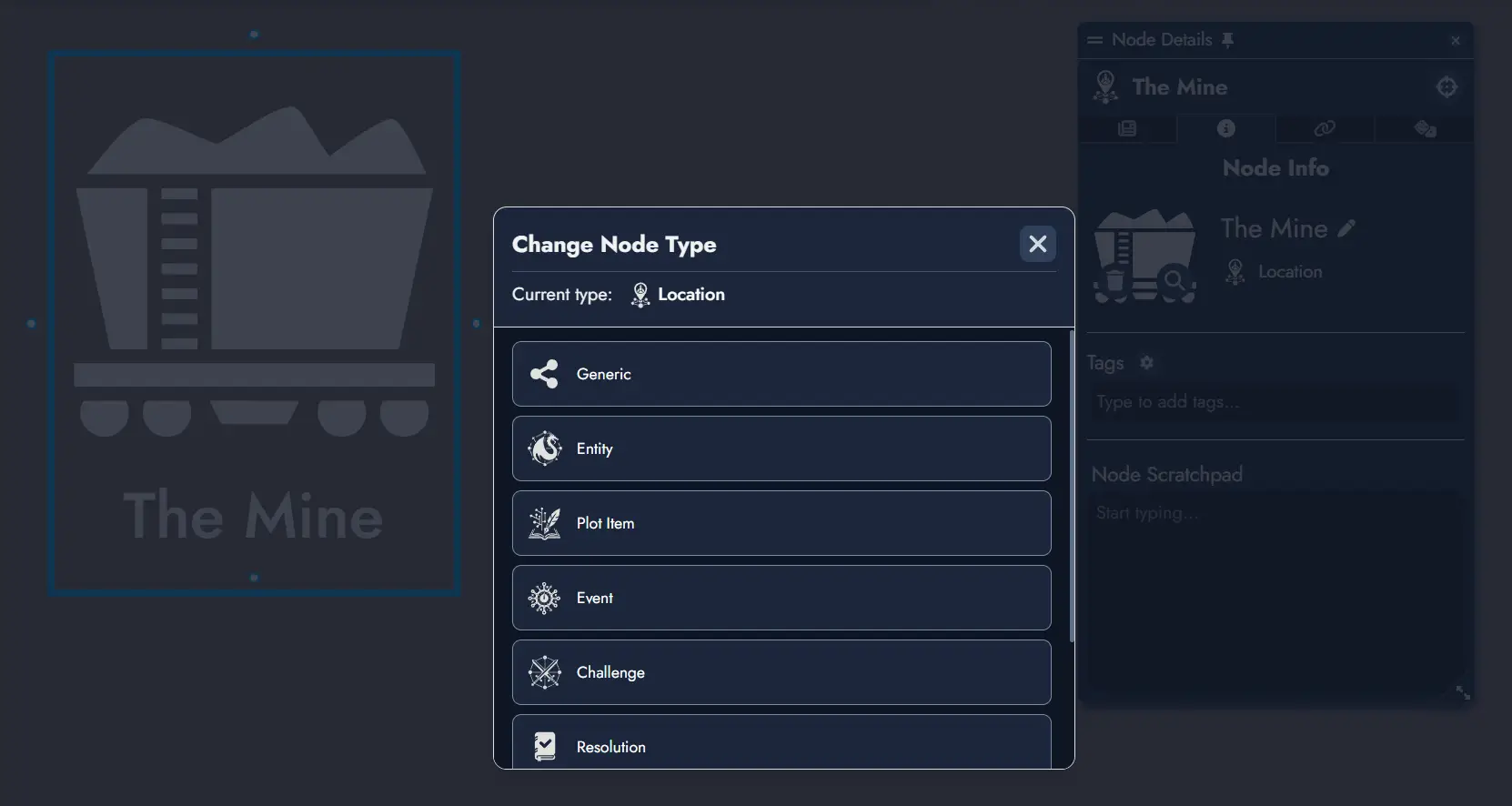
Node Types are no longer fixed once a Node has been created. A new generic Node Type now exists and is used as the default choice. This change also prepares the system for fully user-defined custom types in a future release.
Users can change Node Type in several ways:
- Click on the type field inside the Node Info panel
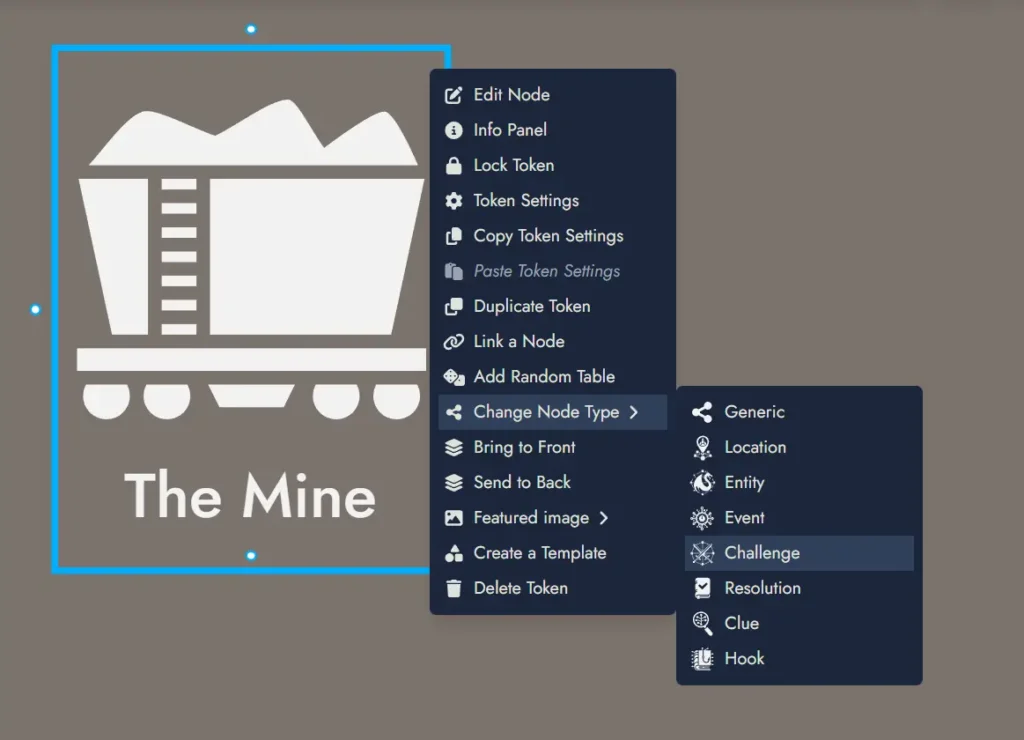
- Use the context menu of a Token for that Node
- Apply a type change to multiple Nodes at once by selecting multiple Tokens and using the context menu
This significantly reduces friction when reorganizing modules or rethinking structure after the fact.
New Group Widgets
Group Nodes have been retired. A new Group Widget now handles grouping purely as a visual and organizational element on the Board. Group Widgets can be linked to a Node so that double-clicking on the widget will directly open this Node in the Editor, as users could previously do.
This change keeps meaning and structure within Nodes and Links, while layout and emphasis remain the responsibility of Widgets.
Existing modules are automatically migrated. Each legacy Group Node has been replaced by a Group Widget on the Board. Since Group Nodes could contain text content, a new generic Node has been created for each migrated Group Node to preserve that content.
Additional Features:
- Double-clicking on empty Board space now creates a new generic Node.
- Group Widget titles support font customization.
Improvements:
- Module search in the Lobby is now recursive and results display a new path column to show location.
- The Board settings panel layout has been adjusted for better legibility.
- The Board context menu includes new items for toggling grid, toggling snapping, and opening the Board settings panel.
- Folder “Edited” timestamps in the Lobby now reflect changes inside the folder rather than only changes to the folder itself.
- Link Tokens now support negative values for offsets, improving control for dense layouts or overlapping structures.
Onboarding and Guidance:
There is now an update tour that triggers once on login after a new version. It presents a compact summary of the major changes across one or more guided steps, depending on how many updates were skipped.