

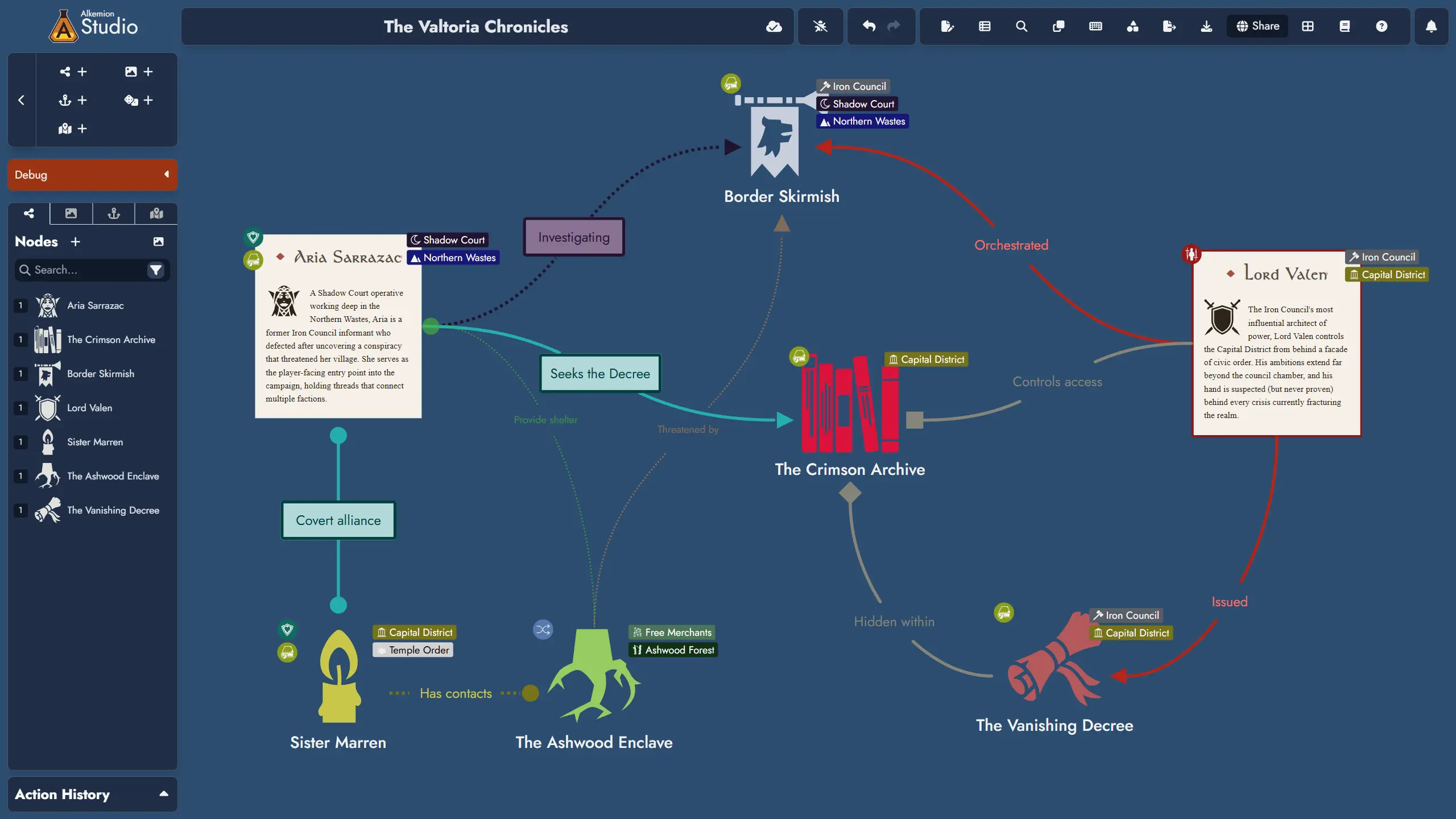
Hey, everyone! This update introduces a major addition to the Tags system: Tag Collections, bringing reusable Tag sets with built-in synchronization support! It also includes a handful of Tag management improvements and some bug fixes. Hope you enjoy!
New Major Feature
Tag Collections
Tag Collections let you build reusable sets of Tags in your Library and import them into any Module. Imported Tags stay connected to their source Collection, so when the Collection is updated, you can review and apply those changes across every subscribed Module.
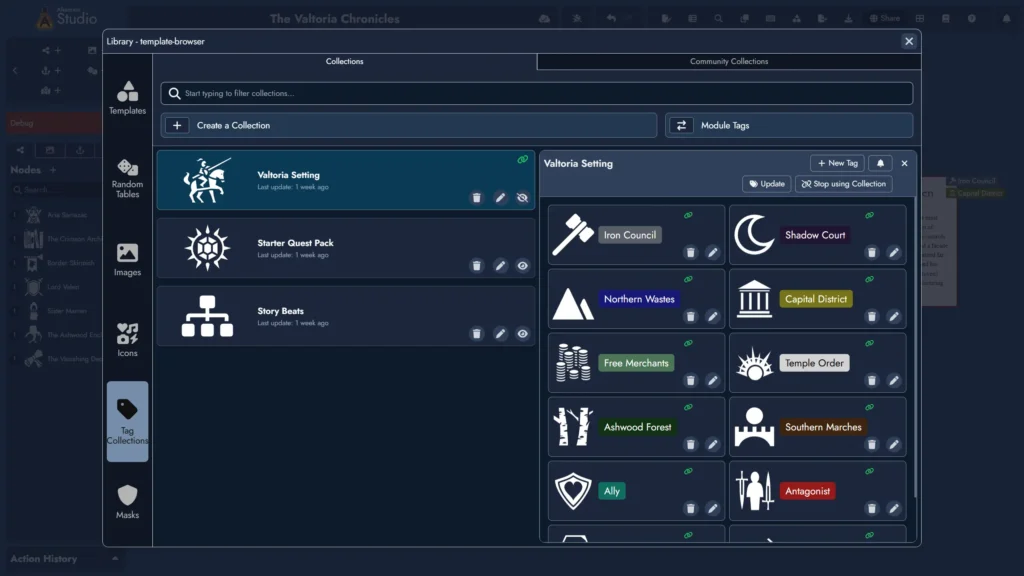
- Create Collections in the Library’s Tag Collection Manager, accessible from both the Lobby and inside any open Module. Each Collection has its own name, optional featured image, and a set of Tags you can add, edit, or remove at any time.
- Import a Collection into a Module with a single click. You can select which Tags to bring in, and imported Tags are created as local copies linked back to their source Collection. A link icon on both the Collection card and each imported Tag card makes these connections easy to spot at a glance.
- Imported Tags work just like local Tags: you can edit or delete them freely without affecting the source Collection.
- Synchronization is one-directional: changes flow from the Collection to the Module, never the other way around. To update the Collection itself, edit it directly in the Tag Collection Manager.
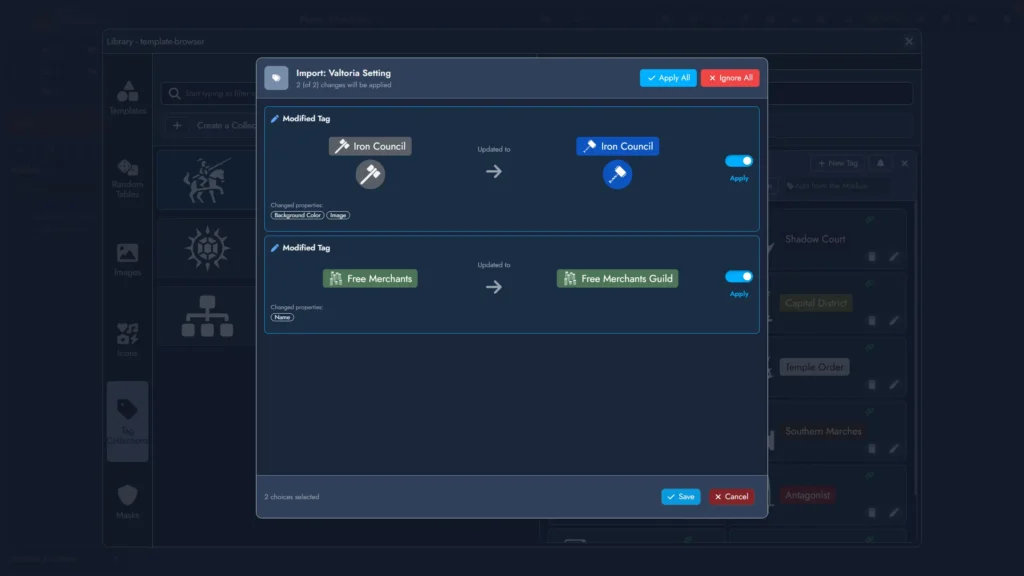
- When you update a Collection, any subscribed Module will surface a soft notification on load if there are pending changes. You can dismiss the notification and come back to it later, or open the update panel from the notification or the “Update” button in the Tag Collection Manager to review each change and apply or ignore it individually.
- Navigation shortcuts are available to move quickly between the Library’s Tag Collection Manager and the Module’s Tag Manager.
The synchronization system behind Tag Collections also lays the groundwork for an upcoming Node synchronization feature, which will work in a very similar way.
Improvements
- The Board’s context menu now includes an option to open the Module Panel.
- You can now add Tags in batch to multiple Nodes at once via context menus: select one or more Node Tokens on the Board, nodes in the Asset Tree or the Editor’s Content Tree, then pick the Tags to apply to the parent Nodes of the selection.
- You can now select multiple Tags in the Module’s Tag Manager and apply the most common actions in batch.
- Tag cards in the Module’s Tag Manager now feature a context menu with the main actions. This menu is also available for multi-Tag selections.
- Each Tag card in the Tag Manager now displays the number of Nodes that contain that Tag.
- Tag customization now includes an additional setting for icon color, along with a lock option to modify both icon and font colors simultaneously.
Bug Fixes
- The Image Library now properly remembers the last open tab.
- The Tag Editor now correctly updates the color swatch in the color picker.
- In the Asset Library, featured icons for Tag and Random Table cards are now always displayed with the default lighter color to improve legibility.
Leave a Reply