

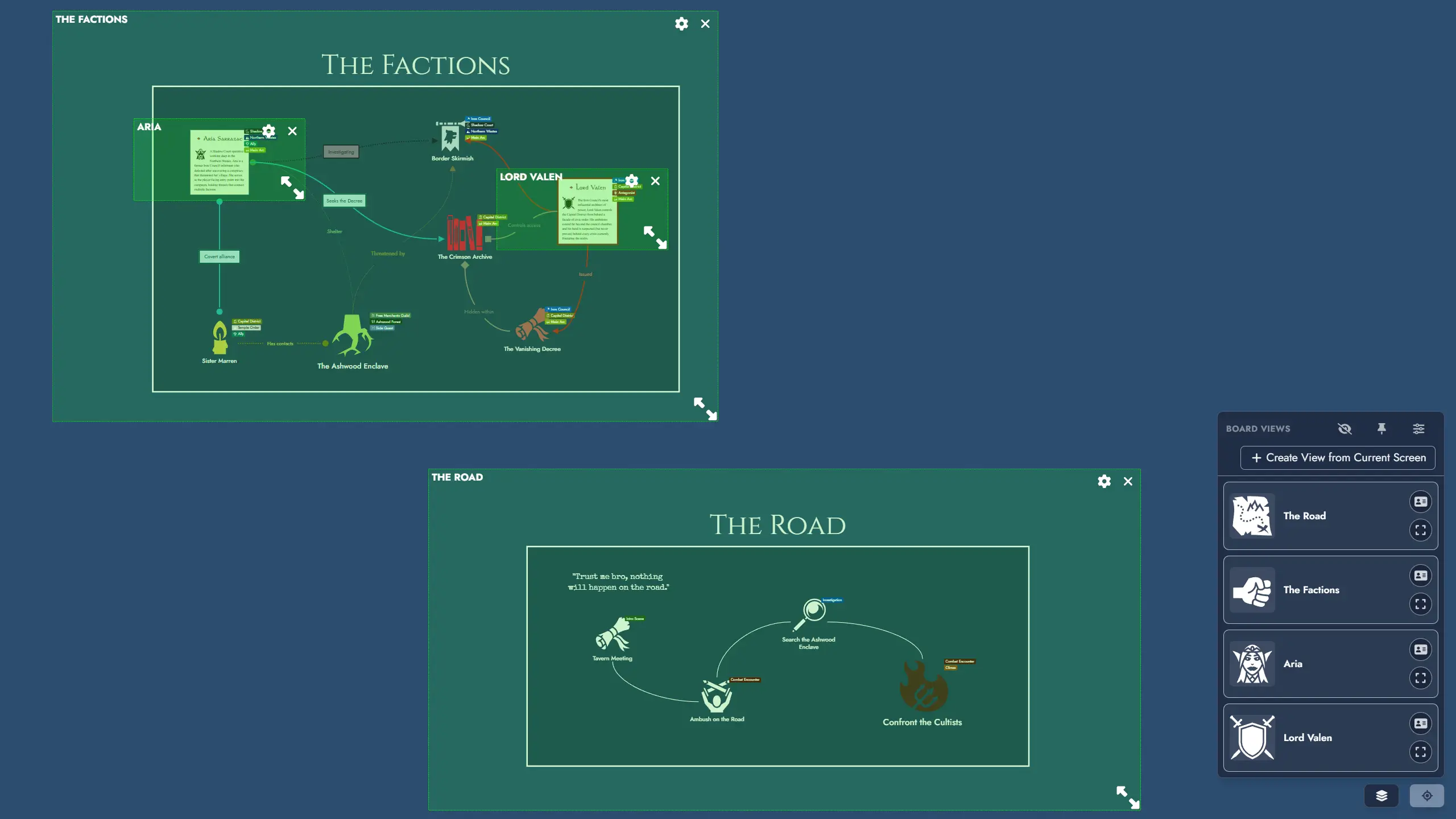
Hey, everyone! This update ships “Views”, a new navigation system for the Board that lets you save named shortcuts to specific areas of your Module. It also includes a new theme, several quality-of-life improvements, and a collection of bug fixes. Hope you enjoy!
New Major Feature: Views
Views let you save named navigation shortcuts to specific regions of the Board canvas. Activating a View smoothly pans and zooms the Board so that the defined area fills your screen. Views are purely a navigation tool: they do not group, filter, or affect the tokens inside them.
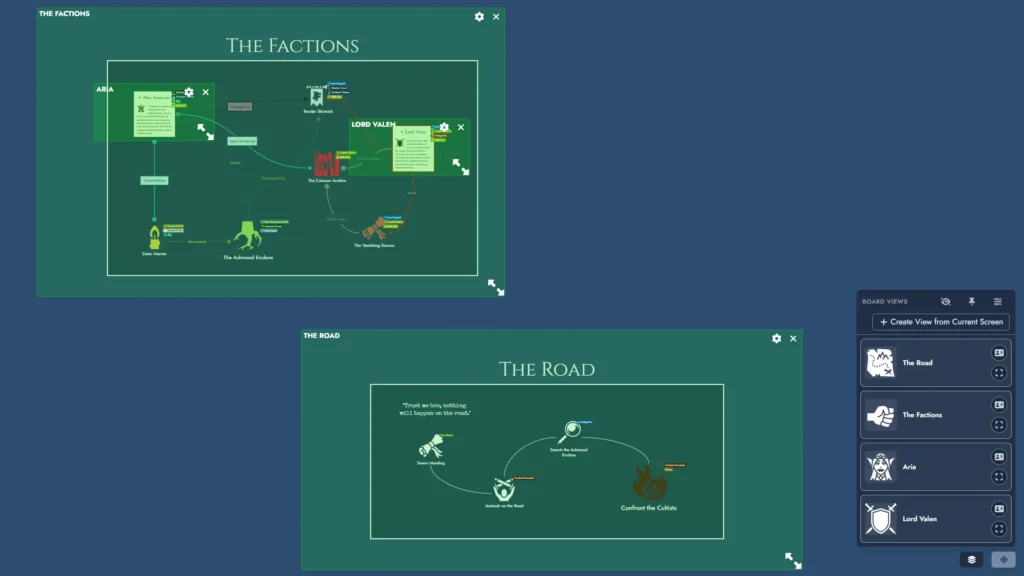
Creating Views: Create a View from the current screen using the View Shortcut dropdown button or the keyboard shortcut (Ctrl+Alt+V). You can also create one from a token selection via the Board context menu, using the bounding box of the selected tokens as the boundary.
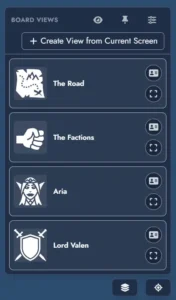
View Shortcut dropdown: A button in the bottom-right corner of the Board opens your list of Views. Each entry shows its name, featured image, and color accents. The dropdown can also be pinned as a compact vertical panel that stays visible on the Board at all times.

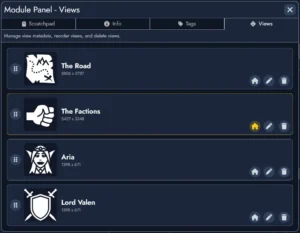
View Manager: Accessible from the dropdown, the Board Settings panel, or the Board context menu. Rename Views, update their featured image and colors, reorder them by drag and drop, and delete them. You can also set a default Opening View so the Module navigates directly to a specific View each time it is opened.
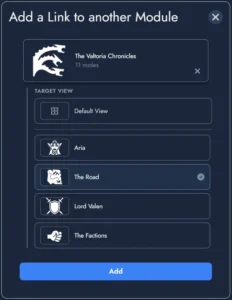
Anchor integration: Module Anchors can now target a specific View within a destination Module. When activated, the Anchor navigates to the Module and immediately zooms to the targeted View. More Anchor customization options are coming in an upcoming release to make this integration even more useful.
Sharing and Templates: Optional toggles in the share settings and export dialog control whether Views are included when sharing a Module via read-only link or exporting it as a Template.
New Features
- Preferred node type: You can now set a preferred node type in Board Settings. Any node created by double-clicking an empty area of the Board will use that type by default instead of Generic.
- Widget Group name size and offset: Widget Group titles now support Name Size customization. Title spacing adjusts naturally as size changes, and new Horizontal and Vertical offset sliders in Token Settings let you reposition the title freely.
- Module Panel shortcut: Ctrl+Shift+M now opens the Module Panel directly from the Board.
- Two new themes: Frostheim brings a Norse saga aesthetic with glacial ice-blue accents, and storm-grey slate. Galleon evokes Age of Sail adventure with deep navy blues and aged brass gold.
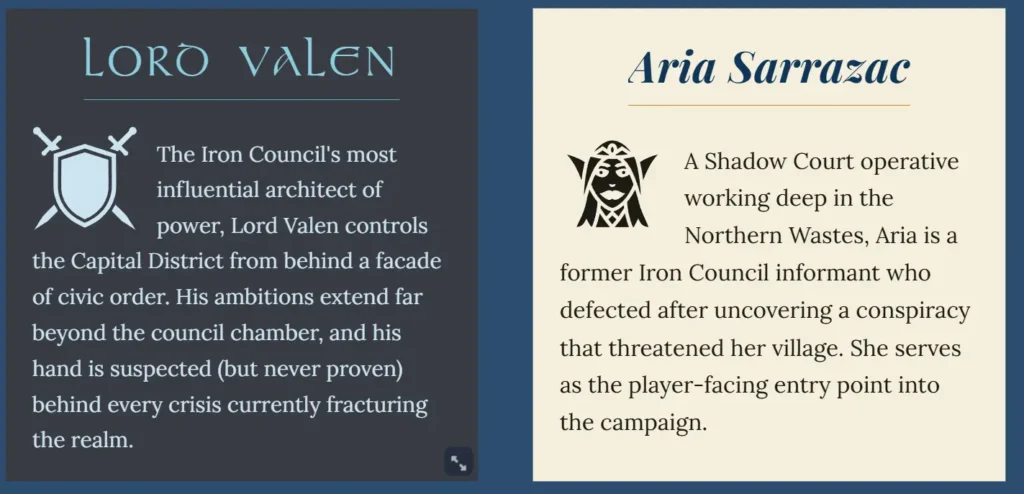
- Node Diamond border styling: Border style and color can now be set directly from the Token Settings and the toolbar for Node Diamond tokens, with a cleaner border look consistent with other token types.
- F2 rename shortcut: Press F2 to rename the focused item directly on the Board. Works for node tokens, widget groups, text widgets, and link token labels.
Improvements
- Creating a Widget Group from the Board context menu now immediately puts the name field in edit mode with the default text selected, so you can rename it right away.
- Copying and pasting Widget Group settings now also carries the font family, so pasted groups fully match the original text style.
- Improved the Image Browser for Module Collections: library scope switching now works correctly across images, icons, and masks, with clearer collection filtering and a cleaner toggle experience.
- Improved Print Preview scrolling: the mouse wheel now works reliably over the preview page content.
Minor Changes and Bug Fixes
- Fixed a bug where duplicating a selection of widgets connected by a link would produce a broken duplicate link.
- A token’s toolbar is now automatically hidden when the Token Properties window is open.
- Champion Tier users no longer see the “Support us on Patreon” button in the Lobby sidebar.
- Fixed an issue where holding Ctrl and scrolling the mouse wheel while hovering over a token’s toolbar would trigger the browser’s native page zoom instead of zooming the Board.
- Fixed an issue where modules created from collection templates could throw an error if tag-collection sync timestamps were missing.
- Fixed the Lobby’s “Move to Folder” modal so it stays in the folder you are browsing after creating a folder or returning to the app.
- Panning the Board no longer selects locked tokens.
- Fixed an issue in the Module Lobby where the Rename context menu item on module rows did not open the inline title editor.
- Adding images in the editor now inserts cleanly without an unwanted blank line appearing above the image.
- Fixed several cases where the mouse wheel would not scroll when the pointer was positioned over specific UI elements: an image’s filename in the Image Browser, a Random Table item’s title or text, a Content Block’s name in the Content Tree, and a node’s title or bullet list items in the editor.
- Fixed the default opacity being set to zero when creating a new Anchor Module token.
- Token toolbars are now hidden in shared boards, where they are not available and their effects would not be saved.
Leave a Reply