

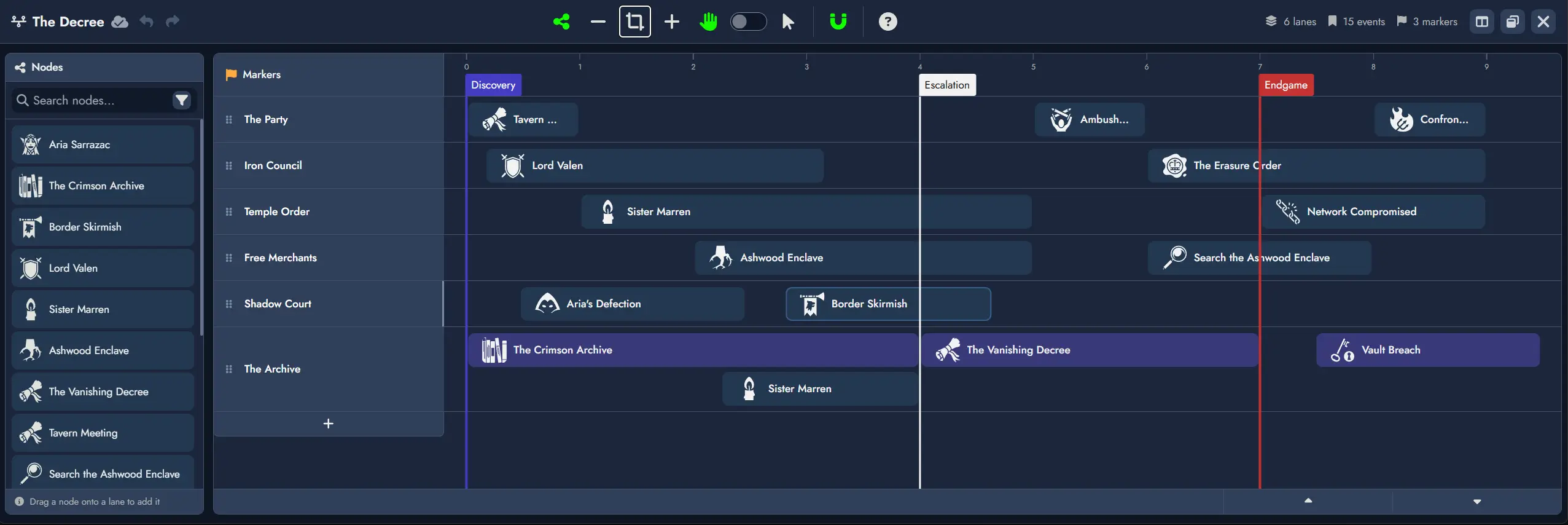
Hey, everyone! This is a nice one. The headline feature is Timelines, a new construct that brings sequence-based visualization to your Modules, letting you see how events play out across Lanes, characters, and factions. Beyond Timelines, this update includes toolbars for tokens in a shared module, content tree improvements in the editor, and a collection of bug fixes. Hope you enjoy!
New Major Feature: Timelines
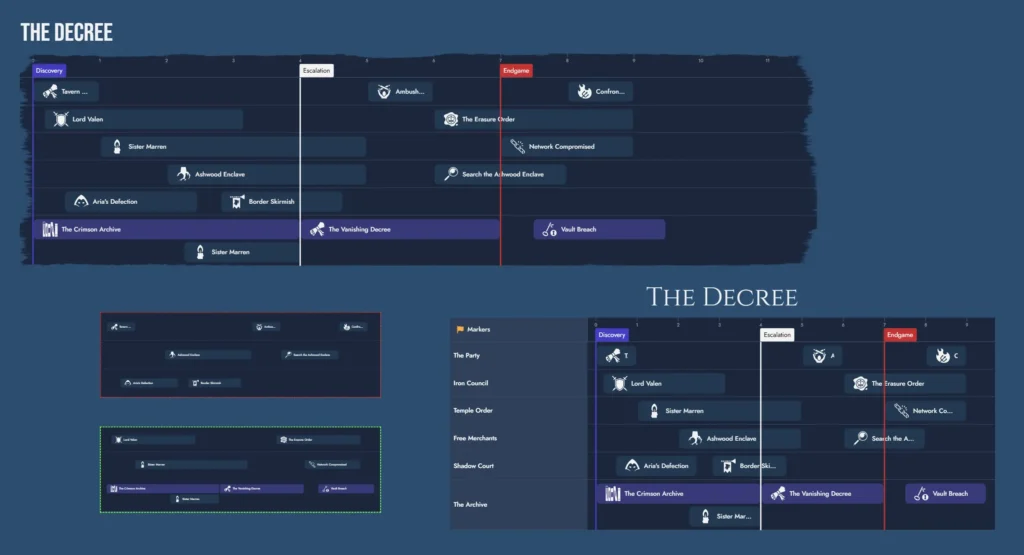
Timelines are a new Construct Asset, the second after Maps. A Timeline represents a sequence of events or narrative beats arranged horizontally, not as a calendar, but as a focused, order-based view over any portion of your content. A Module can hold as many Timelines as you need, each covering a different aspect of your story. Use it to understand how events relate to each other, track parallel threads across characters and factions, and shape the progression of your adventure or campaign.
Building blocks
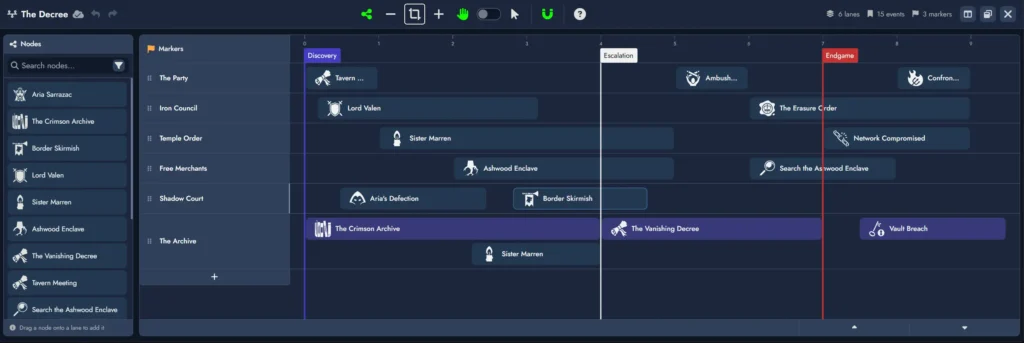
Timelines are made of three elements: Lanes, Markers, and References.
- Lanes are horizontal tracks that group References. They can represent factions, character arcs, plot threads, or any grouping you find useful. Lanes can be renamed, reordered, and collapsed. Lane height grows dynamically to accommodate overlapping References.
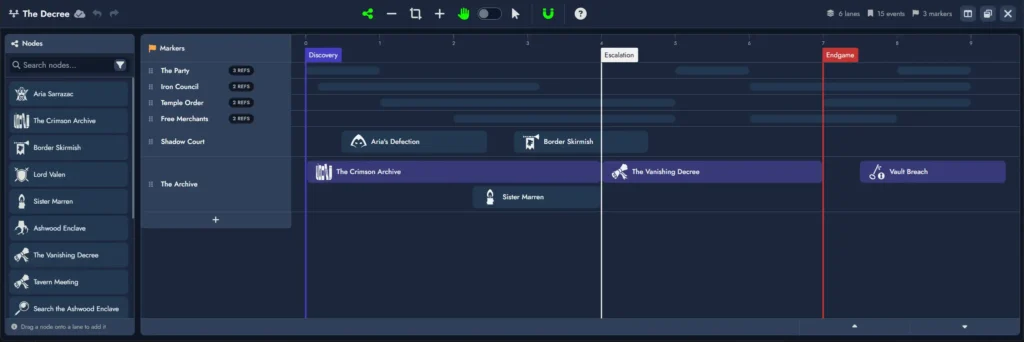
- Markers are vertical dividers that segment the timeline into named sections with freeform labels. Multiple Markers can share the same position and stack neatly.
- References are items placed inside a Lane, each linked to a Node. A Reference displays the Node’s featured image and name. Double-clicking opens the Node in the Editor. Multiple References can point to the same Node.
The Timeline Editor
The Timeline Editor opens full-screen, consistent with the Map Editor, and also supports windowed mode on the Board.
- Drag a Node from the Node Pool onto any Lane to create a Reference. Double-clicking an empty area inside a Lane creates a new Event Node and places a Reference to it immediately.
- References can span multiple units, with left and right resize handles to adjust their start and end positions independently.
- Drag a Reference body to move it horizontally, or drag it far enough vertically to change its Lane.
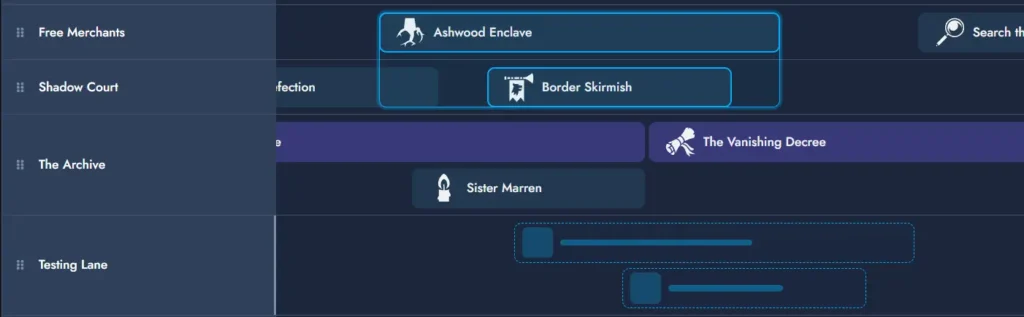
- Switch between Drag Mode and Selection Mode via the toolbar or the V key. Ctrl+scroll zooms, Shift+scroll scrolls vertically through Lanes.
- A snapping toggle aligns References to unit boundaries on placement, move, and resize.
Timeline Tokens on the Board
A Timeline can have multiple independent Tokens on the Board. Double-click a Token to enter interactive mode and navigate the Timeline in place. Each Token maintains its own zoom level and supports independent Lane and Marker visibility toggles, so two Tokens on the same Timeline can show different slices of the content simultaneously.
This is the first release of Timelines, and more is on the way. Upcoming additions include a representation of your Timelines inside Editor pages, expanded visual customization options, filtering and search inside Timelines, and more.
New Features
- Reader mode Map Token toolbar: Map Tokens in reader mode now display a compact toolbar with Interact, Zoom, Fit, and Open Map controls.
- Reader mode Node Token toolbar: Node Tokens in reader mode now show a minimal toolbar with View and Info buttons.
- Move page content from the Content Tree: You can now move or copy selected page content to another page directly from the Content Tree context menu.
- View visibility from the View dropdown: The View dropdown now lets you toggle the visibility of View Tokens directly from the list without closing the menu.
Improvements
- Editor smooth scrolling setting: A new setting in Board Settings lets you enable or disable the Editor’s smooth scrolling when centering on a Node.
- Group Widget rename is undoable: Renaming a Group Widget is now tracked in the action history and can be undone and redone.
- Token color picker preview: The Token color picker now previews theme override behavior for Content Cards and restores the previous override state if you cancel.
- Resize-handle tooltip: A tooltip now appears on resize handles for resizable tokens to indicate Shift-resize behavior.
Minor Changes and Bug Fixes
- Duplicating a Group Widget now preserves all links between its nested assets.
- The Tag Manager now adapts tag card columns to the available panel width, so a small side panel shows one card per row.
- Fixed the title input field not being reset between Modules in the Save as a Template modal.
- Token copy/paste now preserves the “Apply mask to featured image only” setting when copying token styling.
- Fixed a visual issue where page-theme backgrounds on board tokens could appear cropped when “Page theme effects on tokens” is enabled (for example, in the Chronicle theme).
- Fixed the module scope toggle not appearing when the search modal was opened from the Board’s toolbar.
- Fixed token selection in groups so nested link connections are no longer selected by mistake.
- Fixed an issue where internal mentions in templates and cloned modules were not working correctly.
- Fixed the Add Node modal keyboard behavior so Ctrl+A now selects text normally in the Name field.
- Updated the Lobby module context menu so collection items now read “Move collection to folder”, making folder moves clearer in a collection context.
- The type button in the Node Info panel now shows a clear hover highlight to indicate it’s clickable.
- Changing a node type now updates its default icon everywhere, while custom images stay unchanged.