

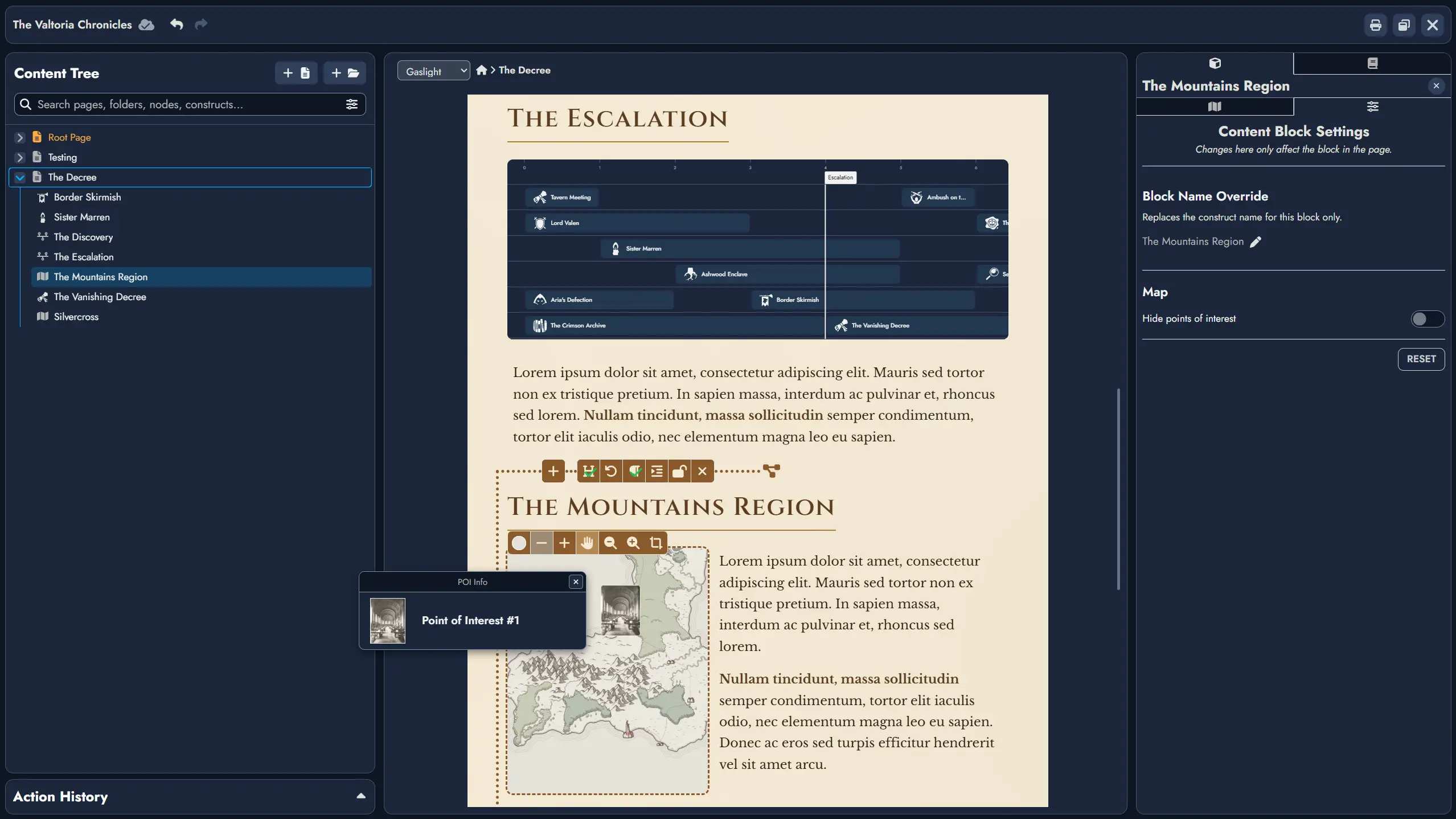
Hey, everyone! This release doesn’t have a single headline feature, but the Editor got a lot of attention. The biggest addition is a new Construct Content Block, so you can now add a Map or Timeline directly into a Page, and this will extend to any future Construct type as well, alongside a new floating selection toolbar and a slash command menu that together replace the old fixed toolbar on non-touch screens. Beyond that, it’s a solid batch of quality-of-life improvements and bug fixes.
We’ve also put a lot of invisible work into the backend, making sure our servers keep scaling smoothly with the thousands of new users who’ve joined us over the past few weeks. Hope you enjoy!
New Features
Construct Content Block
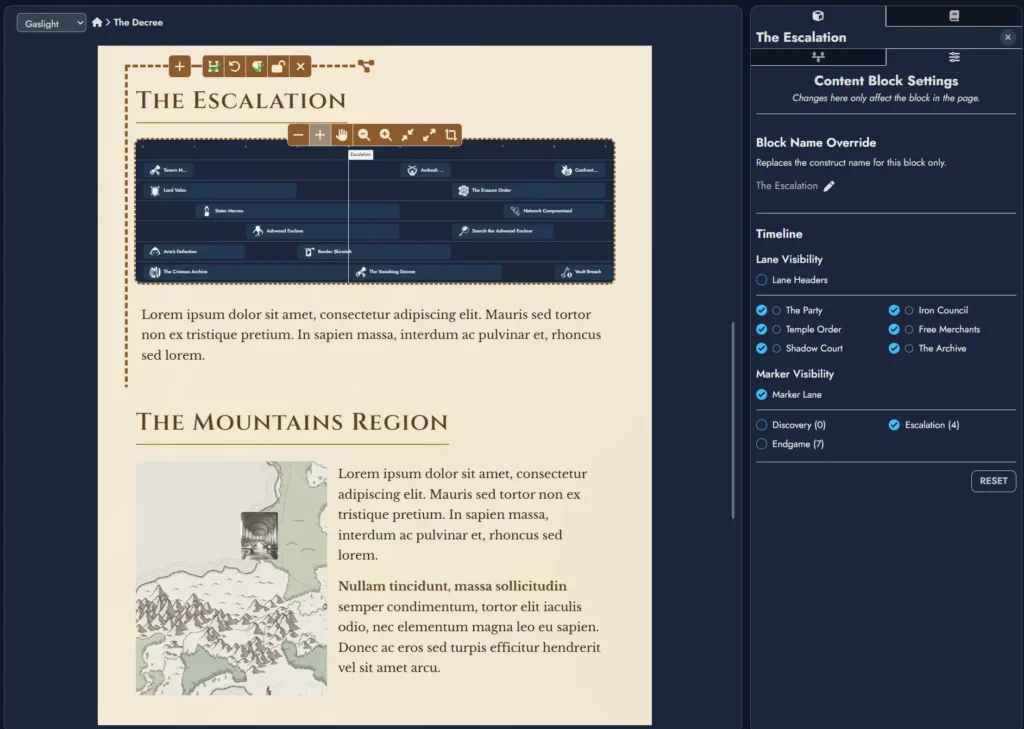
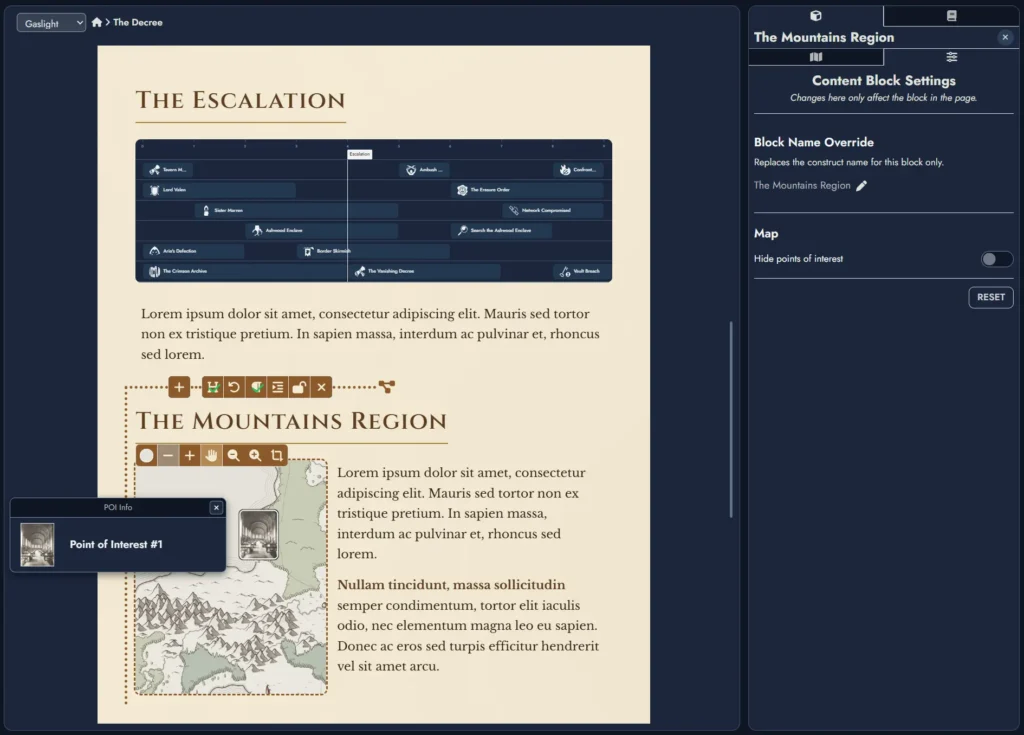
The Editor now supports a new Construct Content Block type. This lets you add any Construct, Maps and Timelines for now, as a fully customizable content block in any Page. For example, you could use the same Map Construct to create two different content blocks showing different regions, each with its own text.
- Each Construct Content Block includes common settings such as alignment and scale, alongside construct-specific settings similar to the ones available on a regular Construct Token on the Board.
- Each Construct Content Block also has an optional text space below the construct.
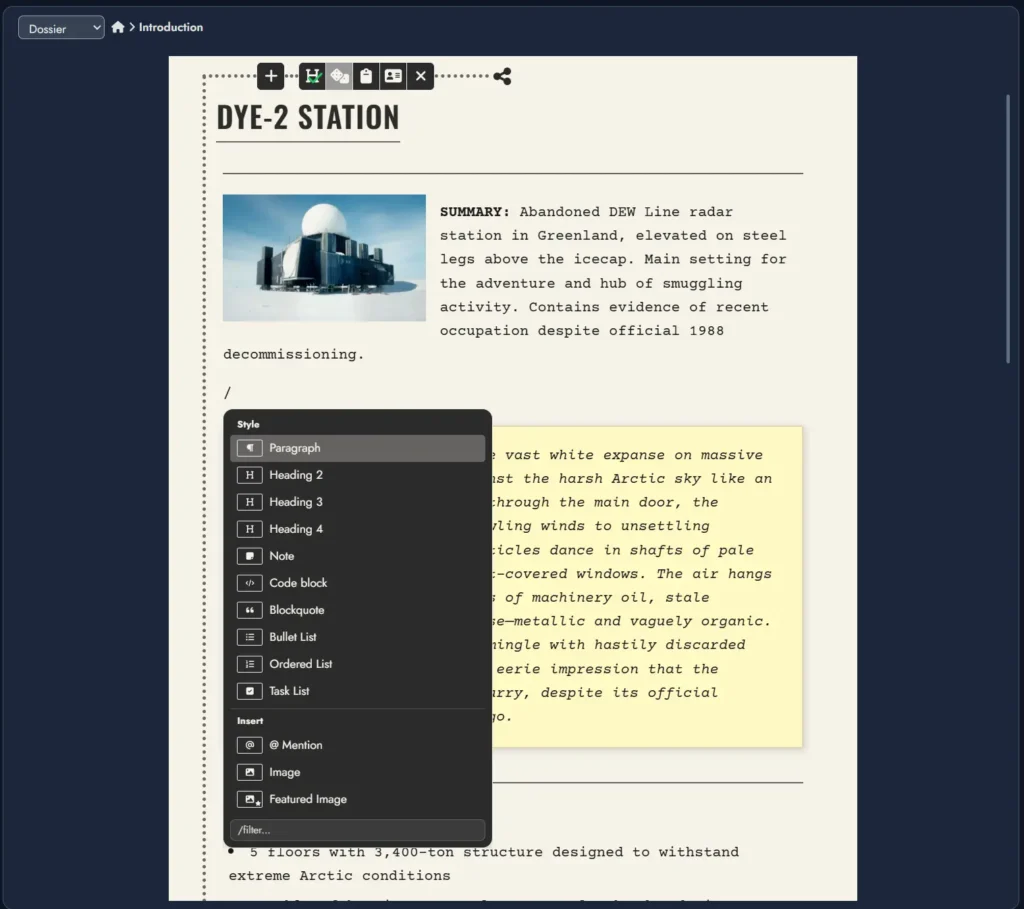
Contextual Toolbar and Slash Command Menu
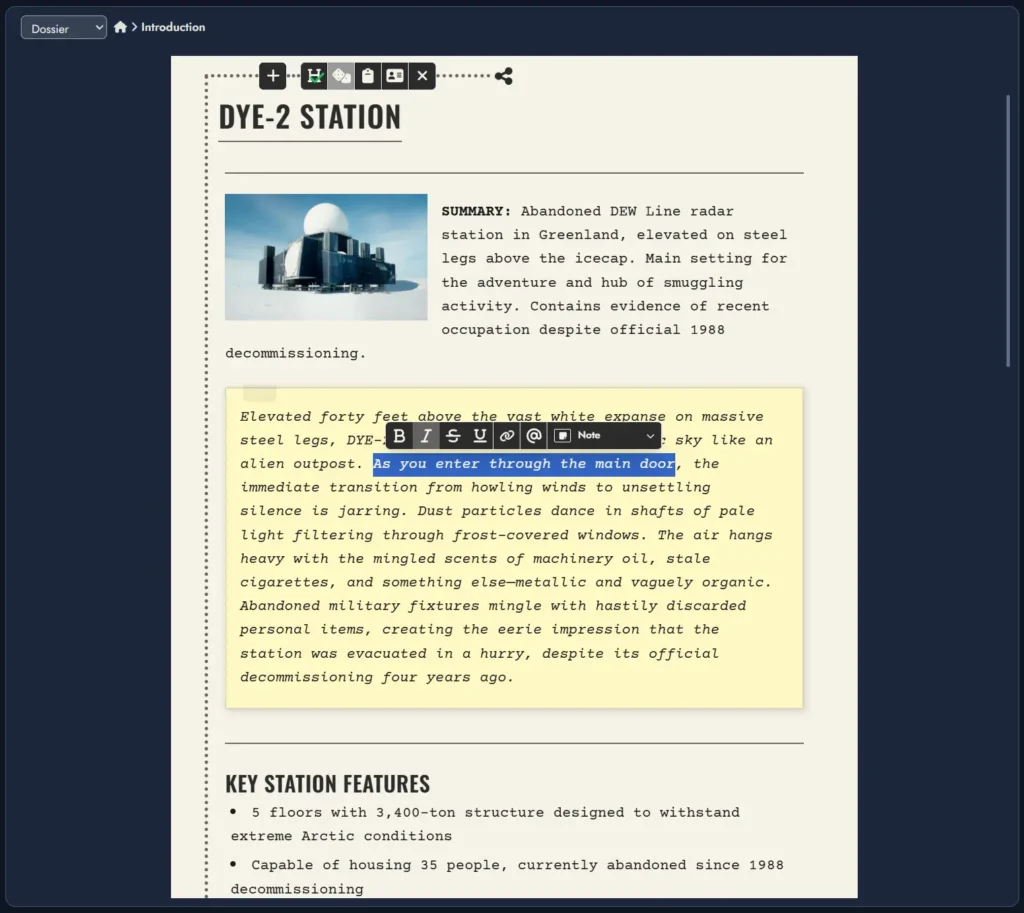
- The Editor now shows a floating contextual menu when you select text.
- A slash command menu is also available: press “/” at the beginning of a new paragraph to open a dropdown with the available actions.
- Together, these two replace the fixed toolbar at the top of the page on non-touch screens. If you prefer the old behavior, a setting in the Board Settings panel lets you switch back to the fixed toolbar.
Resizable Editor Panels
You can now resize the Page Editor panels by dragging the divider lines, giving more space to the content tree, page, or node panel as needed. Resize handles only appear when their adjacent panels are visible.
Improvements
- Hide Content Block header: You can now hide the header of any Node Content Block in an Editor Page, including the new Construct Content Block.
- Themed mention menu: The mention dropdown menu (invoked with the “@” key) now follows the page theme for smoother visual integration.
- Tags for Constructs: Construct assets (Maps and Timelines) now support Tags. There isn’t much to do with them yet, but they’ll be used by upcoming search and filter features.
- Construct Scratchpad: Construct assets now have a Scratchpad.
- Draggable link labels: You can now reposition Asset Link Token labels directly on the Board by dragging them along their link line.
- Keep Aspect Ratio toggle: A new “Keep Aspect Ratio” toggle is available in the Token Properties window for Content Card node tokens, letting you override the default aspect ratio behavior when resizing with the resize handle.
- Disable double-click Node creation: A new toggle in the Board Settings panel lets you disable double-click Node creation on the Board.
Minor Changes and Bug Fixes
- Added a remove button to tag chips in the Content Tree’s filter box.
- Added a background color button to the floating toolbar for Map tokens, with adjustable opacity.
- The Root Page can no longer be moved into a Folder in the Content Tree, to avoid issues. It’s only movable while it’s outside its expected root path, and becomes locked in place again once it’s back.
- Switched the plus and minus zoom icons in the Map and Timeline toolbars to the magnifying glass version, to avoid confusion with the content block resize buttons in the Editor.
- Adding a new Tag now places it at the beginning of the Tags list, making it easier to find and select right away.
- The “Select Tag” modal used to add new tags to an asset now includes a “Create a Tag” button.
- Fixed timeline fit-to-content so it correctly uses the available width after lane headers are shown or hidden.
- Added a Board setting that lets new Link Tokens automatically display their Asset Link name as their label.
- Timeline token settings now keep the selected title font when copied and pasted between timeline tokens.
- Changing the Page Editor theme is now undoable, so you can try different page styles and revert with Undo/Redo.
- Scrolling is now smooth across the template cards in the Lobby’s template selector window.
- The module name field of the template information modal is now hidden when importing a template into an existing module.
- Changing a token’s background color and opacity now counts as a single undoable edit, making the color picker feel more natural to use.
- Undo now correctly restores Card token theme overrides when you change custom background or text colors, so a single undo fully returns the card to its previous appearance.
- The Card token background color picker now includes an opacity slider in both the toolbar and Token Properties panel for a more consistent editing experience.
- Fixed “Add to Collection” not working when changing an Icon Widget’s image from the icon library.
- Copying and pasting settings for icon and image widgets now also applies their custom resized dimensions.
Ctrl+Mnow also hides the Module Collection and Board Views buttons.- Fixed breadcrumb display for deeply nested folders in Lobby’s file explorer.
Leave a Reply